Sales, service and the van in one place.
Bellman Labs CRM keeps your leads, deals, jobs and customers together for a team of up to 25, and puts every technician's day on their phone, even where there is no signal.
Sign in with your Microsoft or Google work account. No new passwords.
- Sign in with Microsoft or Google, with roles you set
- WhatsApp built in for customers and staff
- Field app keeps working without signal
- Quotes and invoices with GST
- Hindi, Marathi, Tamil and Telugu screens (beta)
Fewer enquiries lost, fewer jobs missed.
Everything your sales desk and your technicians touch lives in one system, so nobody asks the office what happened to a customer.
Every enquiry has an owner and a next step.
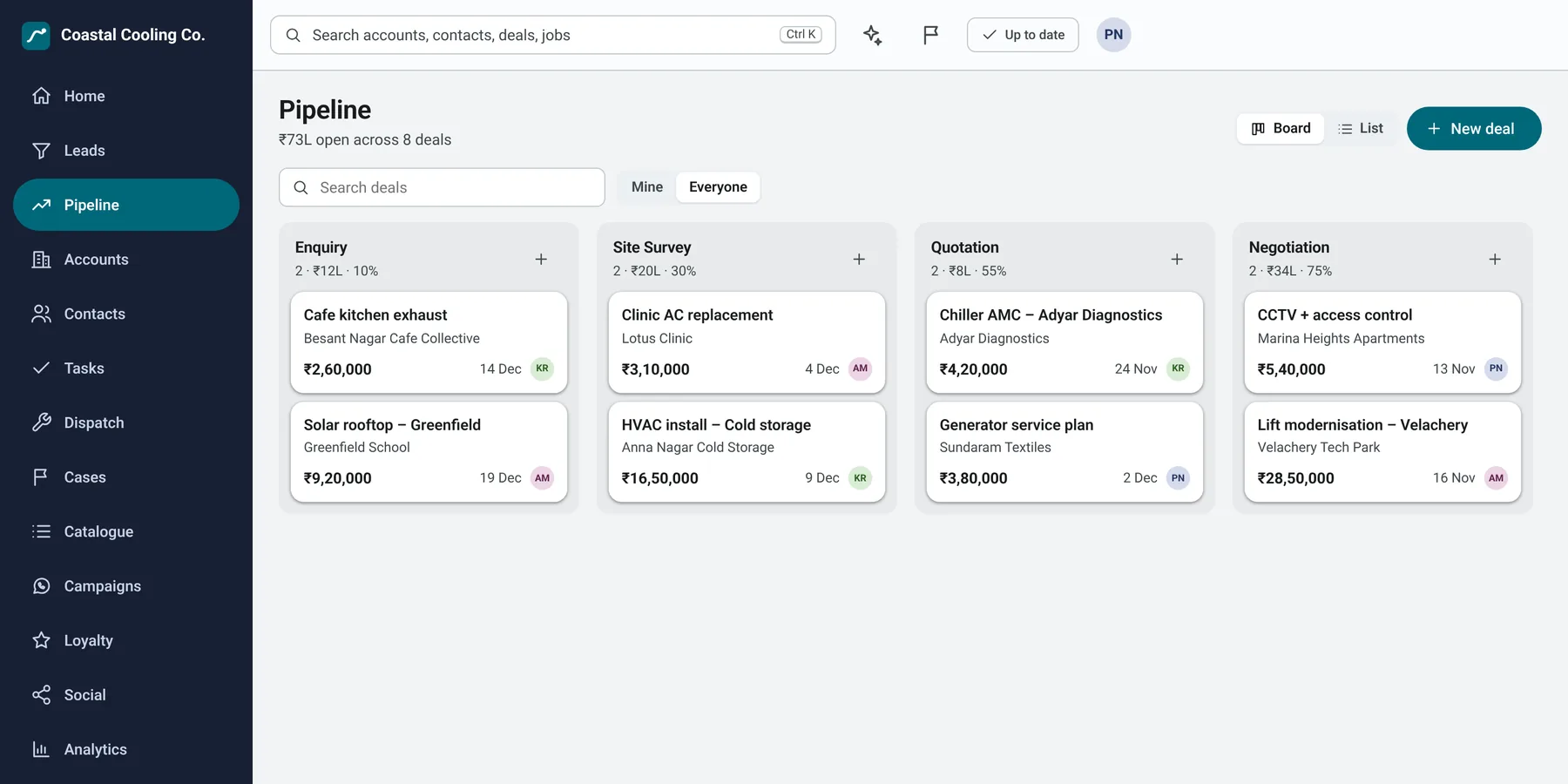
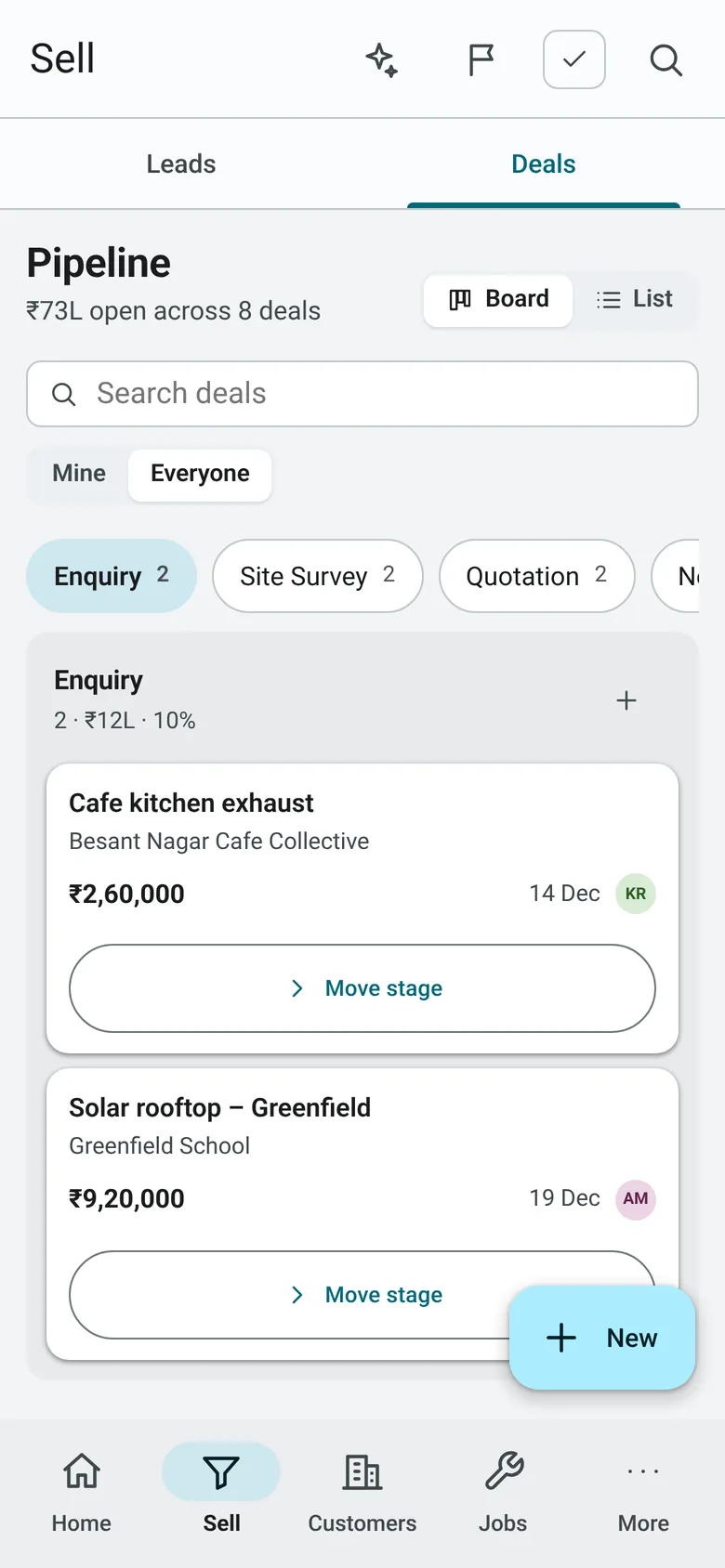
Leads become deals on a board your whole team can read at a glance. Drag a deal to the next stage and the value, the owner and the close date stay with it.
- Board and list views, with saved views for each person
- Rules that hand new leads to the right person and set the first task
- Convert a lead to an account and a deal in one tap
- Import your leads from a CSV file, export whenever you need
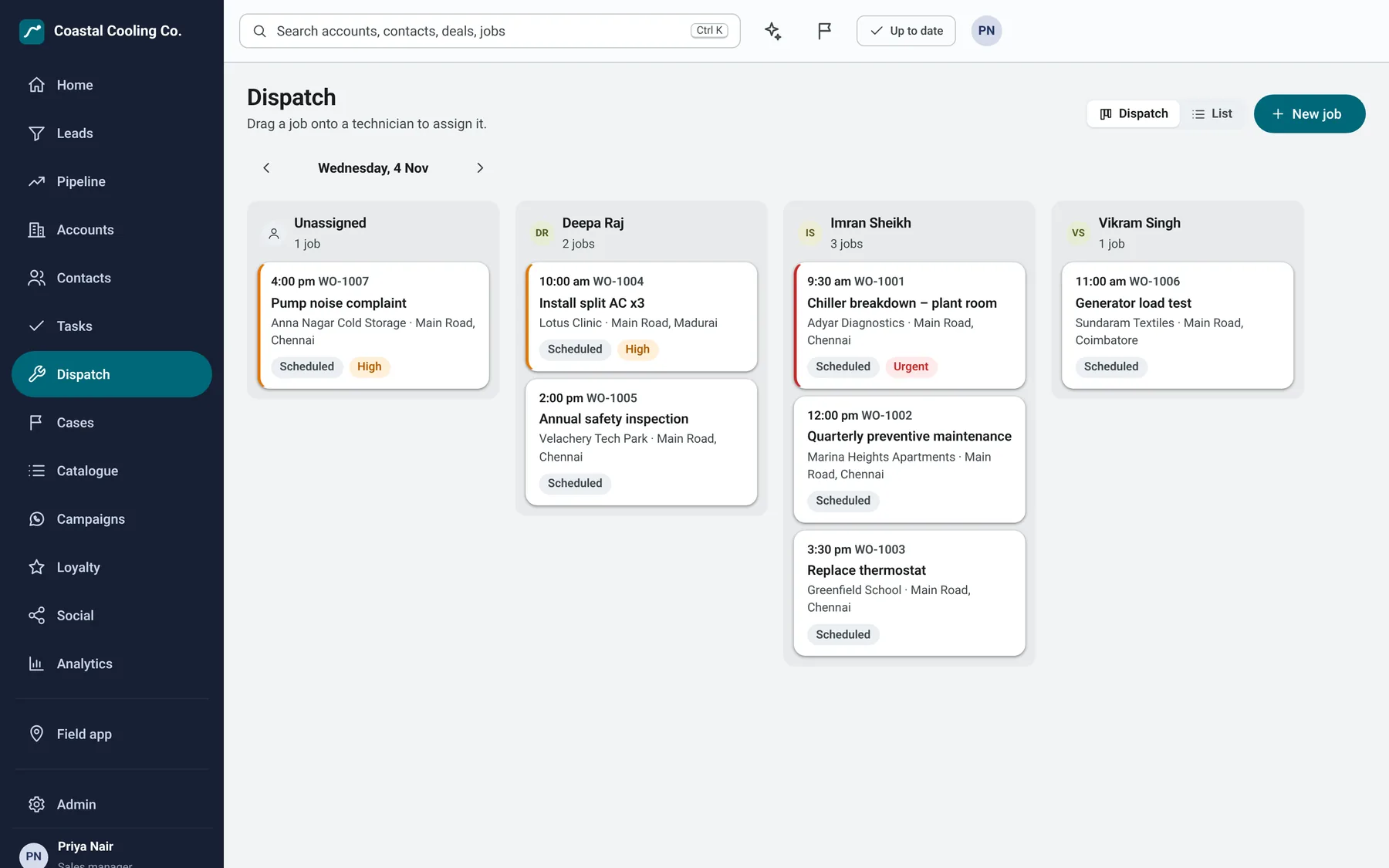
Dispatch the whole day from one screen.
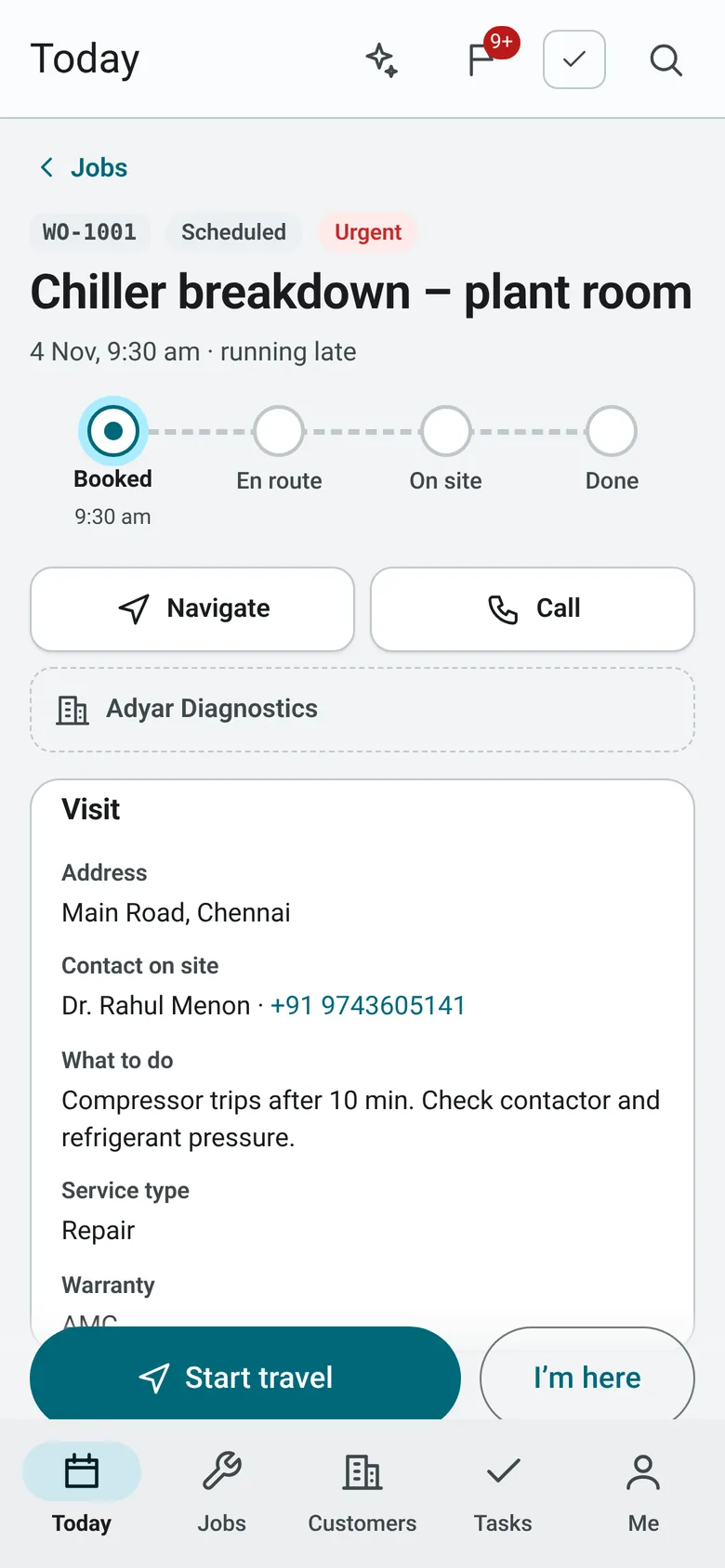
See every technician's jobs side by side. Drag a job onto a person and it appears on their phone, with the address, the contact and what to do.
- Urgent and late jobs stand out in red and amber
- Cases carry service-level timers, so a customer waiting is never a surprise
- Customers can message you on WhatsApp and a case opens by itself
A field app that works where the signal does not.
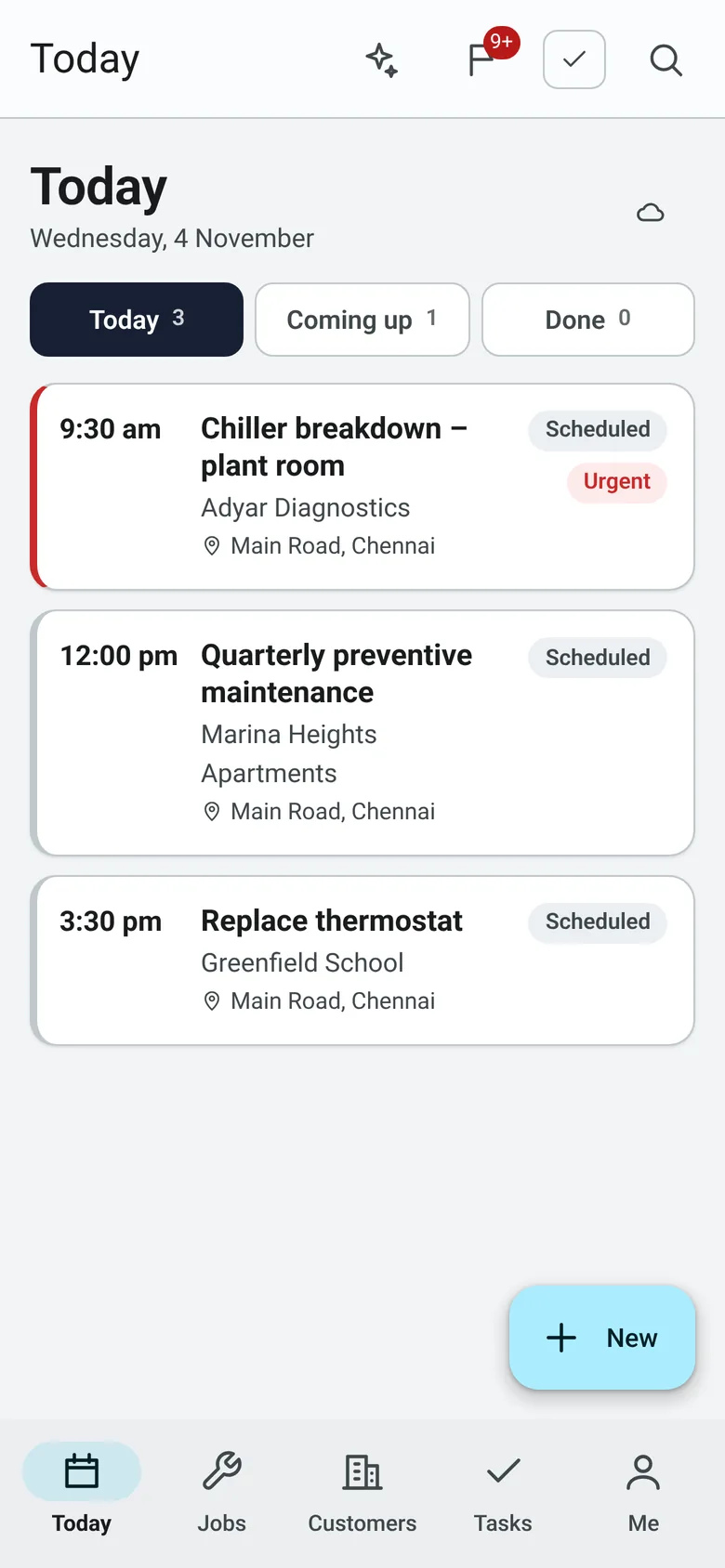
Technicians install it from the browser, with no app store and no separate login. Jobs, customers and the catalogue are saved on the phone, and anything they do offline is sent when they are back in range.
- Start travel, check in on site and finish the job in three taps
- Before-and-after photos and the customer's signature on the screen
- Tap to call, navigate or message the customer on WhatsApp
- Phone alerts when a job is assigned or a customer replies
See how the business is doing without asking.
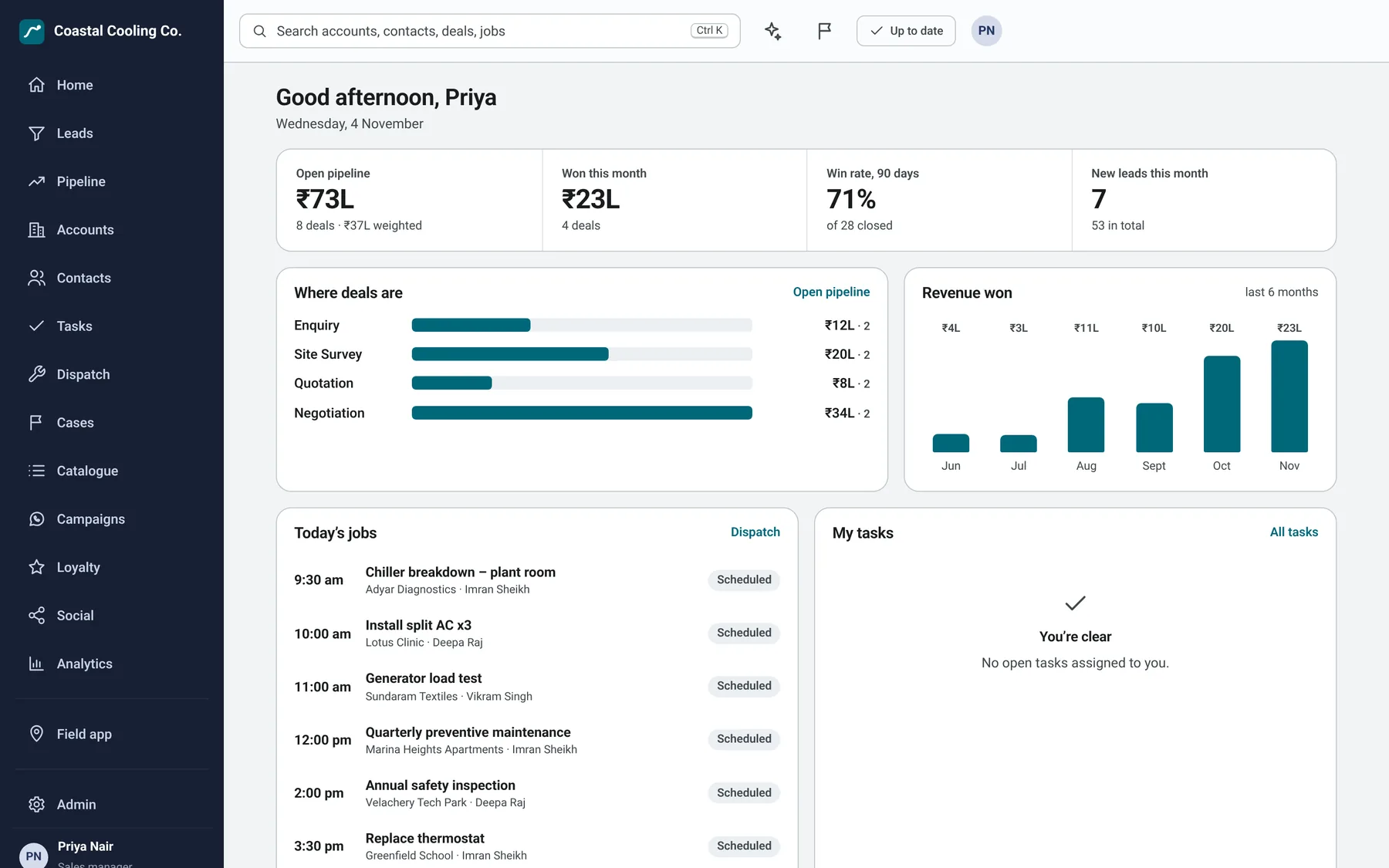
Open pipeline, deals won, win rate and revenue by month are on the home screen when you sign in. Analytics goes further, with trends by person and how punctual each technician is.
- Compare any period with the one before it
- Numbers in rupees, with lakh and crore, and dates in Indian format
- Every chart can be read as a table
Everything else is already in the box.
You do not need to buy five tools and join them together.
- Quotes, orders and invoices
- With GST, as a PDF, by email or as a link the customer can accept.
- Catalogue
- Your products and services with prices and tax rates, ready to add to a job or a deal.
- Cases and service levels
- Queues, timers and a resolution note before a case can close.
- WhatsApp campaigns
- Send approved templates to the customers who agreed to hear from you, and see who replied.
- Loyalty programme
- Points, tiers and rewards for jobs and deals, with a second person approving big redemptions.
- Instagram share-to-earn
- Customers who mention or share your offer earn points, so your reach grows on its own.
- An assistant you can ask
- Ask for a customer, a number or a reminder in plain words, in the app or on WhatsApp.
- Rules that do the routine
- Assign, set a field, add a task, alert someone or send a message when something changes.
- Teams and roles
- Decide who sees their own records, their team's, or everyone's, and who can change what.
- Import and export
- Bring leads, accounts and contacts in from Excel as CSV, and take them out again.
- Alerts
- In the app and on the phone when a job, a customer reply or a late case needs someone.
- More than one currency
- Quote in rupees or another currency, with rates you set.
Your team reads it in their own language.
Every screen can be switched to Hindi, Marathi, Tamil or Telugu from the account menu. Each person picks their own.
Beta means the translations are complete and in use, and are still being checked by native speakers. More Indian languages come after these four.
Starts common, then fits your business.
The CRM begins with what every team needs. Stages, fields, roles and rules are yours to rename and change, and each can carry names in your team's languages.
Service businesses
Jobs, visits, service contracts and technicians. The field-service setup comes ready, with stages from enquiry to closed.
Shops, cafes and salons
Customers, repeat visits, offers and loyalty points, with WhatsApp to bring people back.
Something else
Tell us what you sell and how you work in the form below. We will shape the stages and fields before you start.
From this page to your first job in three steps.
Tell us about your team
The form below takes about three minutes. It tells us how big your team is, what to move across and when you want to be live.
We set up your trial
We contact you on WhatsApp or email to confirm. Your trial is set up so your team signs in with their existing business email.
Try it with your own work
Use your own customers and jobs for the days you asked for, and plan the training your staff need before you go live.
Start your trial.
Tell us a little about your business and what you need. We use your answers to set the trial up properly, so the first time you open it, it already looks like your company.
- Your business email becomes your sign-in, through Microsoft or Google.
- Tell us if you have Excel sheets or an older system to move across.
- Choose how many days of training your staff need.
Thank you, .
Your request is with our team. We will contact you on WhatsApp or by email to confirm your trial and set up sign-in for your business email.
Quote that reference if you message us. If you would rather not wait, you can write to us now.
Message us on WhatsAppQuestions we hear first.
How many people can use it?
It is designed for teams of up to 25 people, from the owner to the newest technician. Each person has a role that decides what they can see and change.
Can we move our Excel sheets or old system into it?
Yes. Accounts, contacts and leads import from CSV files, which is how Excel sheets move across. If your data lives in another application, tell us in the form which one and we will plan the move with you.
How do people sign in?
With the Microsoft or Google work account they already use. You decide who is allowed in, and each person is given a role. There are no separate passwords to remember or reset.
Do technicians need to download an app?
No. They open the address on their phone and add it to the home screen. It then opens full-screen like any app. A version for the Play Store and App Store can be added later if you want one.
Does it work in poor signal?
Yes. Today's jobs, customers and the catalogue are saved on the phone, and notes, photos and status changes made offline are sent when the phone is back online.
Is the WhatsApp part included?
The CRM connects to your own WhatsApp Business account. Customers can message you and open cases, your team can use WhatsApp for reminders and questions, and you can send approved campaign templates. Meta's own rules and charges for WhatsApp Business apply.
What happens after I send the form?
Our team gets your details straight away on WhatsApp and contacts you to confirm the trial length, your go-live date and what to move across.